YOUR BRANDPRO
Make it yours.
Remove Linkyhost branding and connect your own domain.
Explore custom domainsShare proposals, reports, images and websites with clients and colleagues.
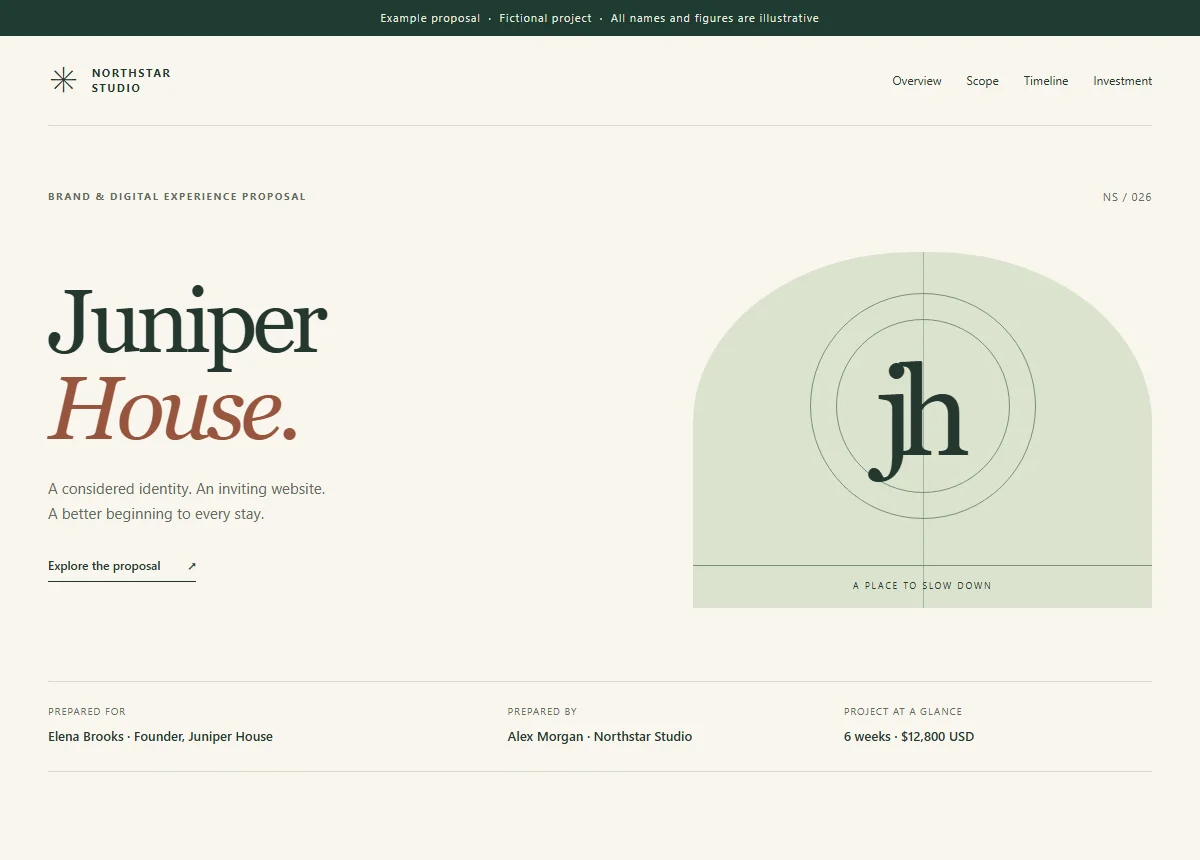
Try it. Open the sample in a new tab.
AFTER THE UPLOAD
Your work keeps moving.
With Pro, your links can keep up.
Remove Linkyhost branding and connect your own domain.
Explore custom domainsAdd a password to PDFs and HTML pages, or set a link to expire.
See access settingsWith Pro, replace a supported PDF, HTML, or image file without changing its address.
See how updates workLINK ANALYTICS · PRO FEATURE
Understand how your files are being viewed, with link analytics included on Pro and Business. Free links still collect visits, so available history is ready when you upgrade.
Follow total views and daily activity for every link.
See estimated unique visitors, with available country and device details.
Find referring websites, with direct traffic shown when no source is available.
LINK ANALYTICS
Where views came from
Included on Pro and Business
Explore link analyticsFor work you keep publishing and links you keep using.
Free account required to publish. No card required.
$60/year — billed annually
For sharing proposals, reports, and presentations under your own brand.
$300/year — billed annually
For teams sharing larger files and connecting their workflow
EXPLORE USE CASES
A client proposal, a monthly report, or the next website preview. Start with the work you already have.
Share proposals, reports and documents saved as DOCX. Requires Pro.
Take your HTML page or static site online.
Share your PDF with a link. View analytics on Pro.
Share spreadsheet data, exports and reports with a link.
Get a direct link to share or embed your image.
Describe your website, then build and publish it.
A LITTLE HELP
The essentials of sharing files, choosing a plan, and keeping control of your links.
Explore the docsNo. Clients and colleagues can open a published link in their browser without a Linkyhost account. If you add Pro password protection, they will need the password you share with them.
See how sharing worksFree includes 1 hosted file up to 10 MB, with Linkyhost branding and 200 monthly views across your account. Select a supported PDF, DOCX, image or standalone HTML file, optionally choose its address, then sign in to publish. A free account is required. Pro adds more uploads, branding removal, JavaScript and website ZIPs. Free HTML has the restrictions explained below.
Compare plan limitsYes. Pro lets you hide the Linkyhost banner while keeping your existing Linkyhost address. Connecting your own domain is optional.
See link settingsWith Pro, you can replace a supported PDF, HTML or image file at the same URL. For an existing website, use Update website with a complete replacement ZIP. Updates become available after publication checks. The shared address and visit history stay with the link; keep your own backups because earlier versions are not retained.
See how updates workIt depends on the file and plan. Free publishing removes JavaScript and restricts external assets; use standalone HTML with its styles included. Pro supports client-side JavaScript and eligible website ZIPs containing CSS, images and other assets. Server code and databases are not supported. Publication checks apply on every plan. Open the published link to verify it before sharing.
Check website requirementsAnyone with a public link can open it over HTTPS. Pro password protection adds a password gate for PDF and HTML links. Share that password with your intended recipients; it does not prevent them from sharing it or saving a copy. Only publish material you are entitled to share.
Read about link access